
Workout planning and tracking
Plan your workouts.
Record what you did.
LiftHer keeps your training week, lifting sets, and other movement in one clear place on your iPhone.
Designed for iPhone · Plans and logs saved on your device
What LiftHer does
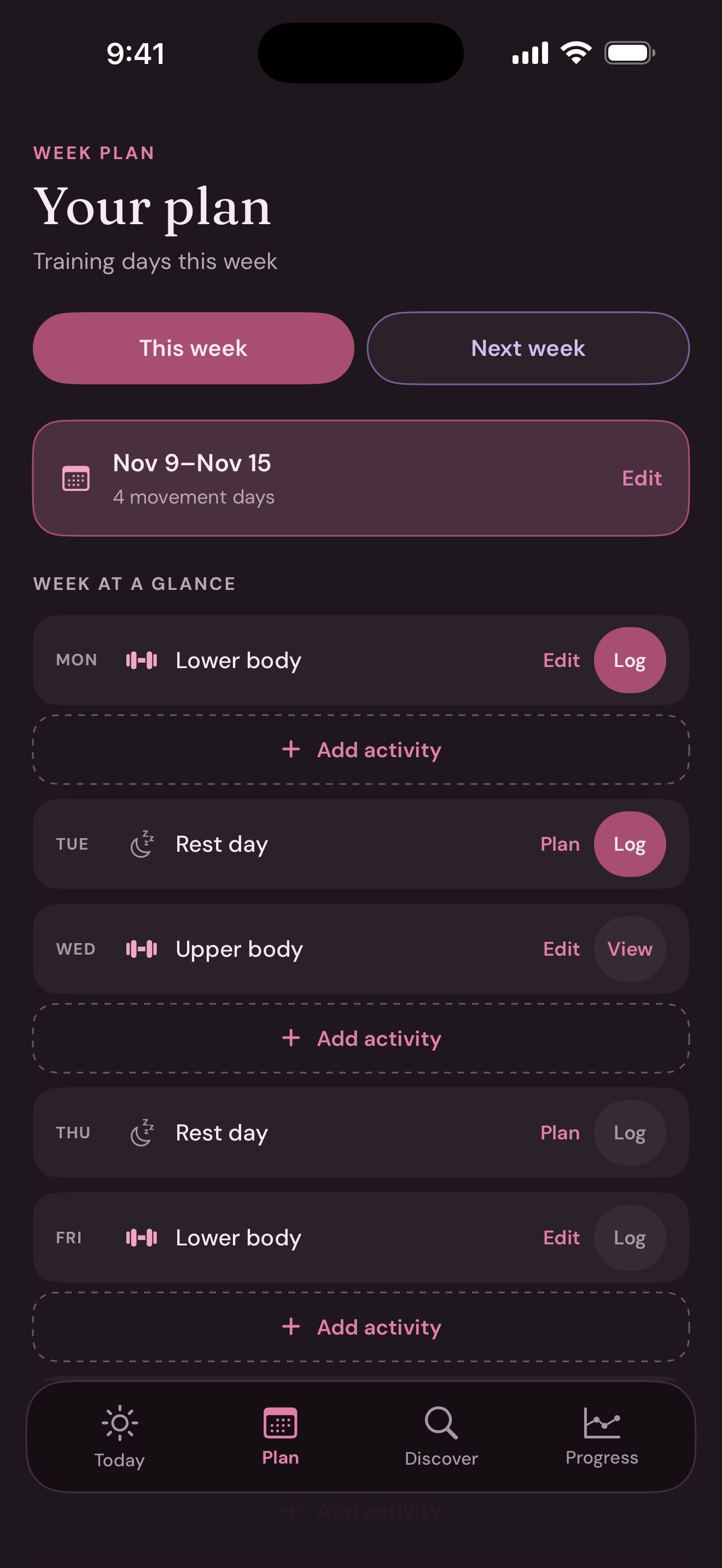
A plan for the week.
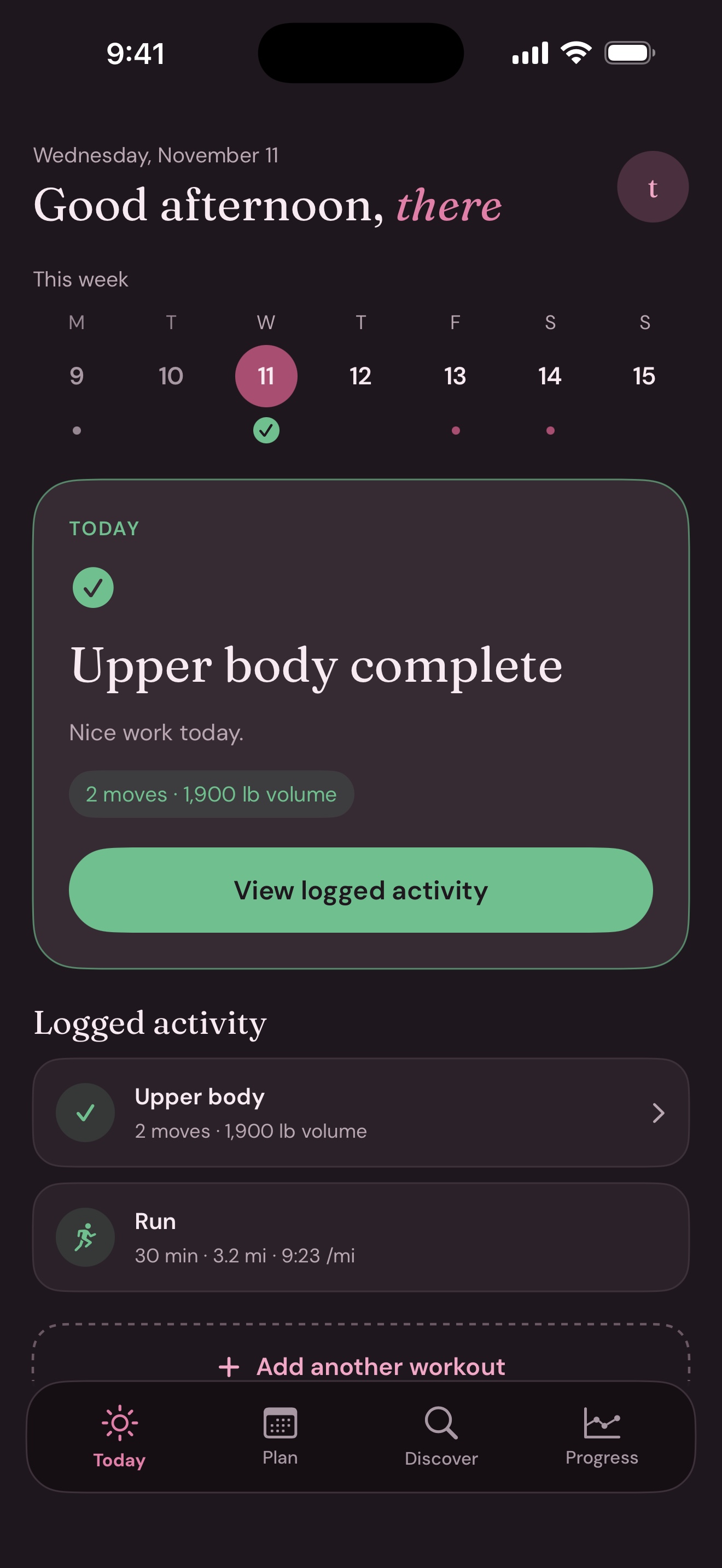
A record of every session.
Move from a planned workout to the details you completed without losing the larger picture. Lifting, running, riding, walking, mobility, and rest days can all belong in the same week.
01 / Plan
Give each day its own plan.
Set up this week or look ahead to next week. Add more than one activity to a day, then choose and arrange the exercises for each lift.
- This week and next week in one view
- Lift days, movement days, and rest days
- Exercises in the order you want
02 / Discover
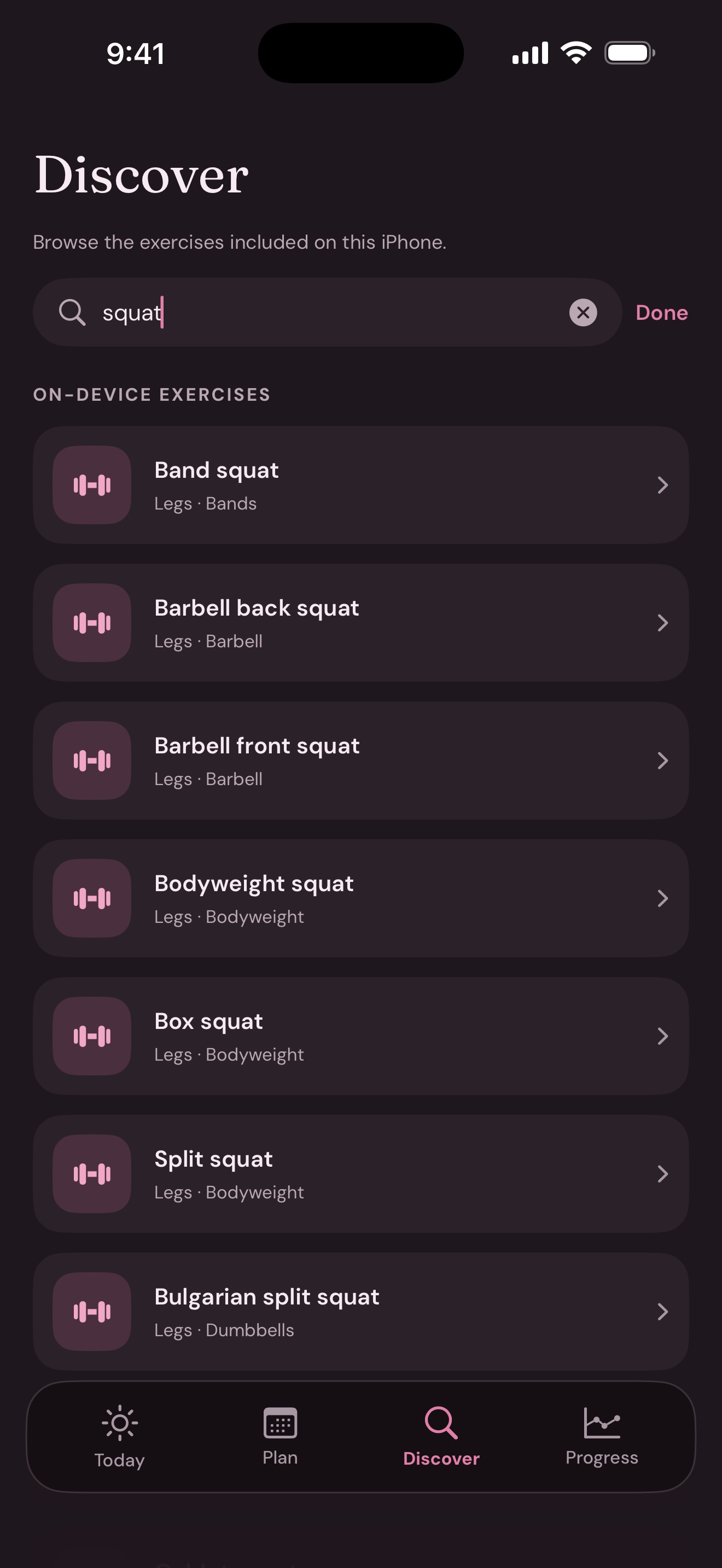
Find a movement for your plan.
Browse LiftHer's on-device exercise catalog by body area. Recent and planned exercises are close at hand when you build a lifting session.
03 / Log
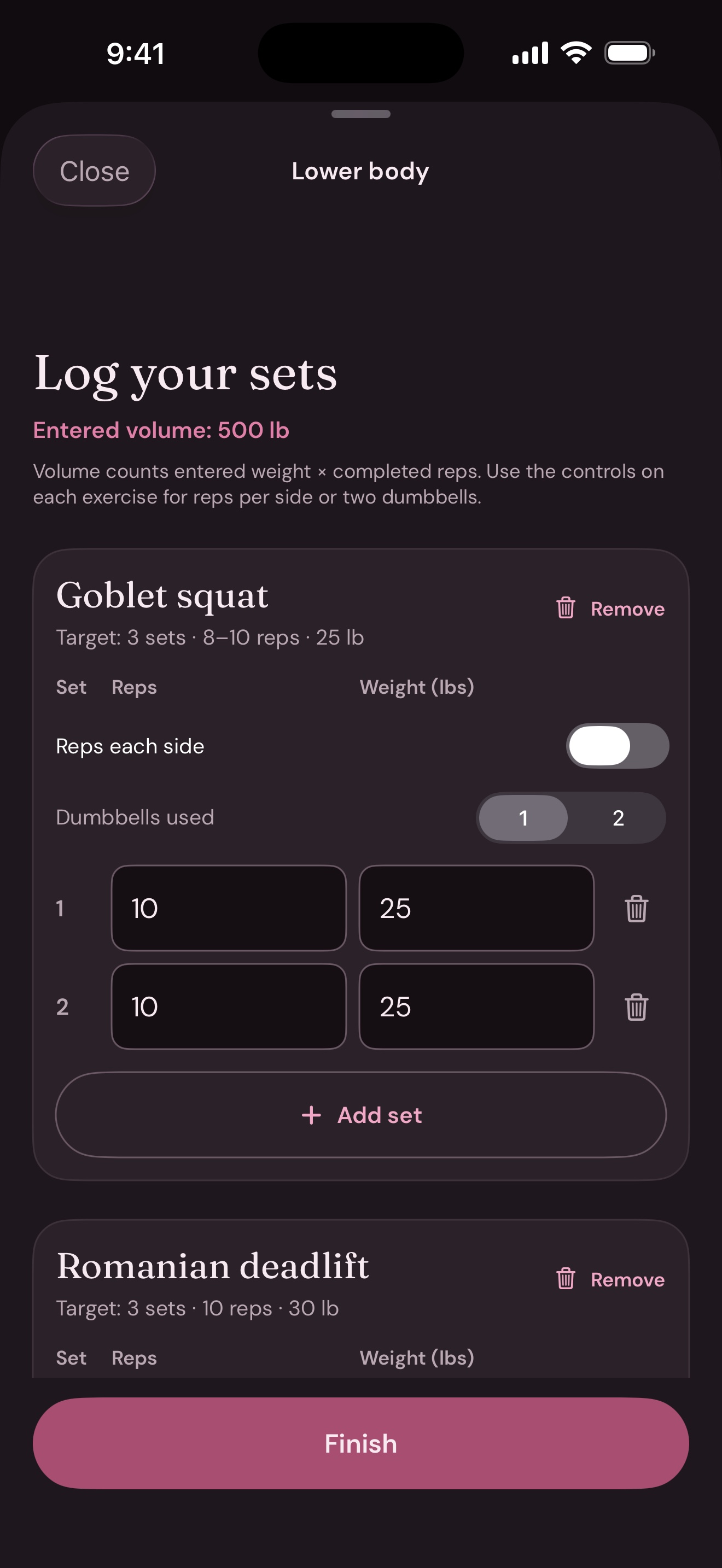
Keep the details of every set.
Enter reps and weight for each exercise. Add set copies the previous set, so you can keep it or adjust the new one. Your completed workout stays available to review and correct.
04 / Move
Make room for movement outside the gym.
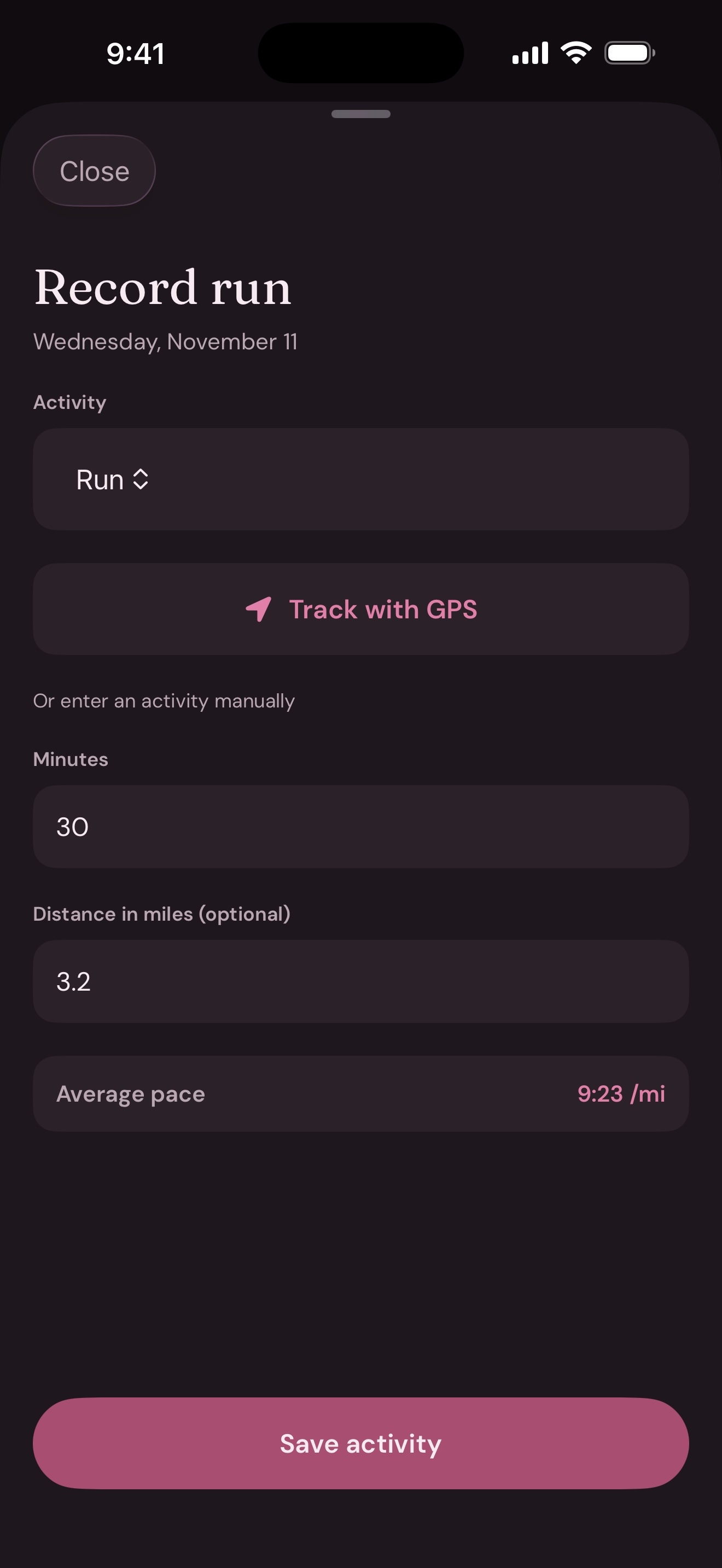
Record a run, ride, or walk with GPS, or enter time and distance yourself. LiftHer calculates your average pace when both are available.
Manual entries and tracked routes belong alongside your lifts.
05 / Review
See what you did this week.
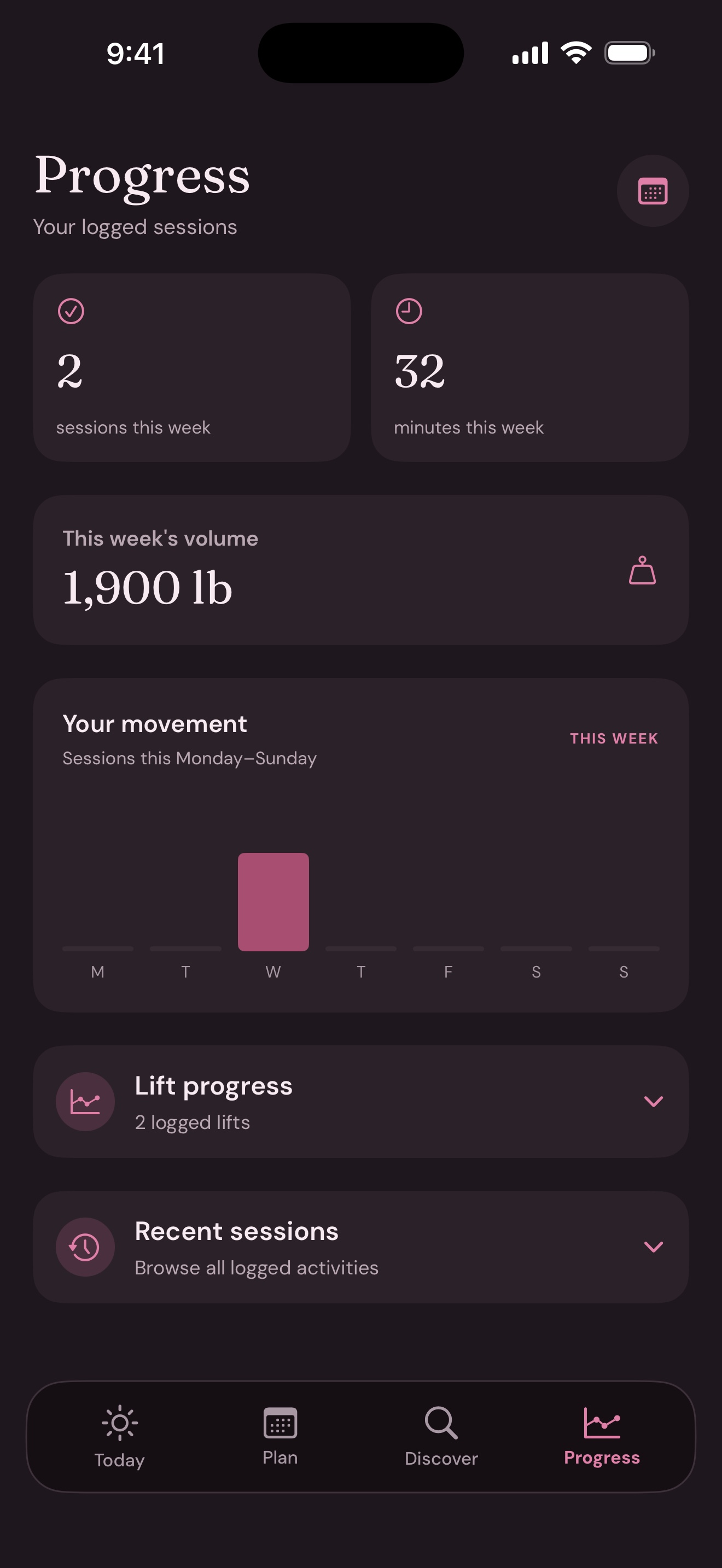
Progress brings together your logged sessions, moving minutes, and lifting volume for the current week. Open earlier sessions to see the workouts and sets behind each number.
Illustrative values from the sample screenshots
Your records
Your training stays on your iPhone.
Planning and logging work without creating an account. LiftHer saves your plans, workouts, and routes on the device. You can export a readable copy from Your setup when you want a separate backup.
LiftHer for iPhone
Questions about LiftHer?
The App Store release is in preparation. Contact Code Clean LLC for help with the app or your data.
Contact support